Introduction: It Starts with the Right Hardware
One of the first things people ask when they hear I’m running AI models locally is: “What kind of machine do you need for that?” And the answer isn’t one-size-fits-all. It depends entirely on what you’re trying to do.
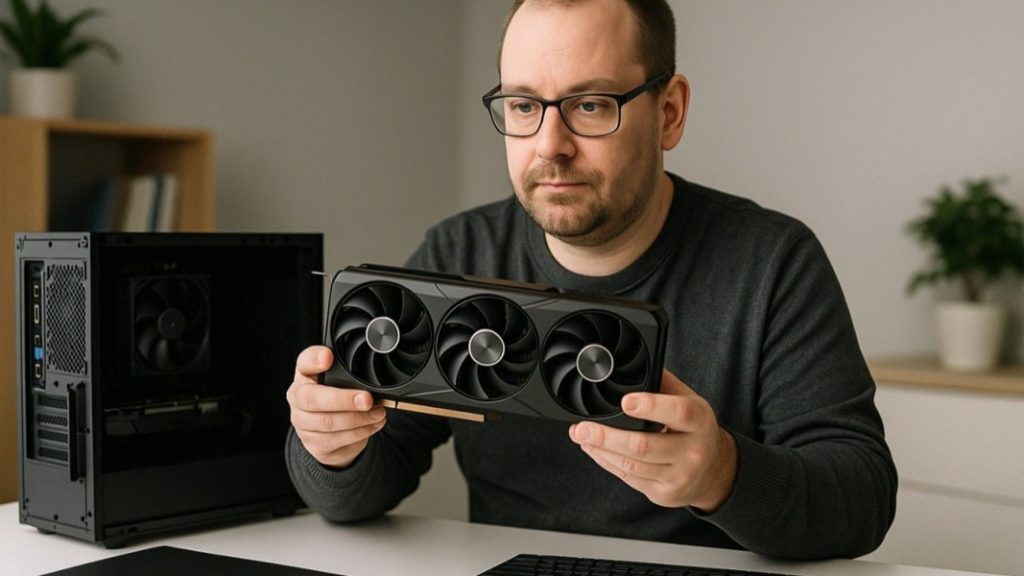
To get started, it doesn’t mean you have to buy expensive AI-specific GPUs. In many cases, a standard high-performance gaming GPU is enough. These are often the most affordable and accessible option for home users who want to learn, explore, and start using local AI tools.
In this article, I break down what kind of gear you actually need — from lightweight setups to more serious desktop builds. I’ve used both, and the difference is night and day.
Tier 1: Entry-Level (Good for Testing Only)
My first local AI experiments ran on an ASUS gaming laptop. It had a 6GB VRAM NVIDIA GeForce GPU and 16GB of RAM.
Was it powerful? Not really. But it was enough to run smaller models like 4GB or basic 7B models if I kept everything else closed. It taught me a lot about what was possible — and what wasn’t.
If you only want to poke around and do very light experiments, a gaming laptop could work. But be ready: everything takes time. Prompts are slower. Larger models crash. Multi-step tasks can fail mid-process. It’s not a smooth ride.
Tier 2: Practical Desktop (Where I’m Heading Now)
Now I’m building a new desktop that gives me more breathing room. This machine will have a 12GB VRAM NVIDIA 3060 Ti GPU, a Ryzen CPU, and will start with 32GB of RAM, expandable all the way to 128GB.
This build is not just for testing — it’s meant to run real tasks, work with business-level content, and experiment with workflows, integrations, and automation.
Why the upgrade? Because RAM and VRAM matter more than you think. You might have a “16GB model,” but if your OS and background apps already eat 8–10GB, you’ll run into problems. This is why tuning your OS — reducing background usage, switching to lightweight Linux — becomes part of the setup.
Tier 3: Beast Mode (If You Want It All)
If you want to run 30B or 70B models, generate long-form content, or work with huge context windows, you’ll need a serious machine. That means 24GB or more of VRAM, something like a 3090 or 4090 GPU. You’ll also want 128GB or more of RAM, solid cooling, fast storage, and a power supply unit that can handle it all.
This kind of build isn’t necessary for most people. But if your use case demands it — like training your own models, running long inference pipelines, or deploying real-time AI assistants — this is the level you’re aiming for.
Clever Tricks for Low-End Setups
Even on the laptop, I was able to get things working. But it required discipline. I disabled everything that wasn’t essential. I optimized the OS so that it consumed minimal RAM. And I chose smaller models in quantized formats, usually 4B or less.
The key is knowing your limits. Don’t expect a 6GB GPU to do what a 24GB one can. But if you understand what each piece of the system contributes and what the model demands, you can still get good results. Use what you have to learn, and then grow from there.
Final Thoughts
You don’t need a datacenter to get started. But you do need to respect the limits of your hardware. The more you understand about VRAM, memory, and I/O bottlenecks, the more successful you’ll be in running local AI that actually works.
Next, I’ll explore something just as critical: privacy, control, and what it really means to own your AI setup — and your data.

Markku Arvekari
Digital Transformation Expert